Ibm Van Winkle: What's Worth Buying From the Past Four Years of Personal-Computer Advances
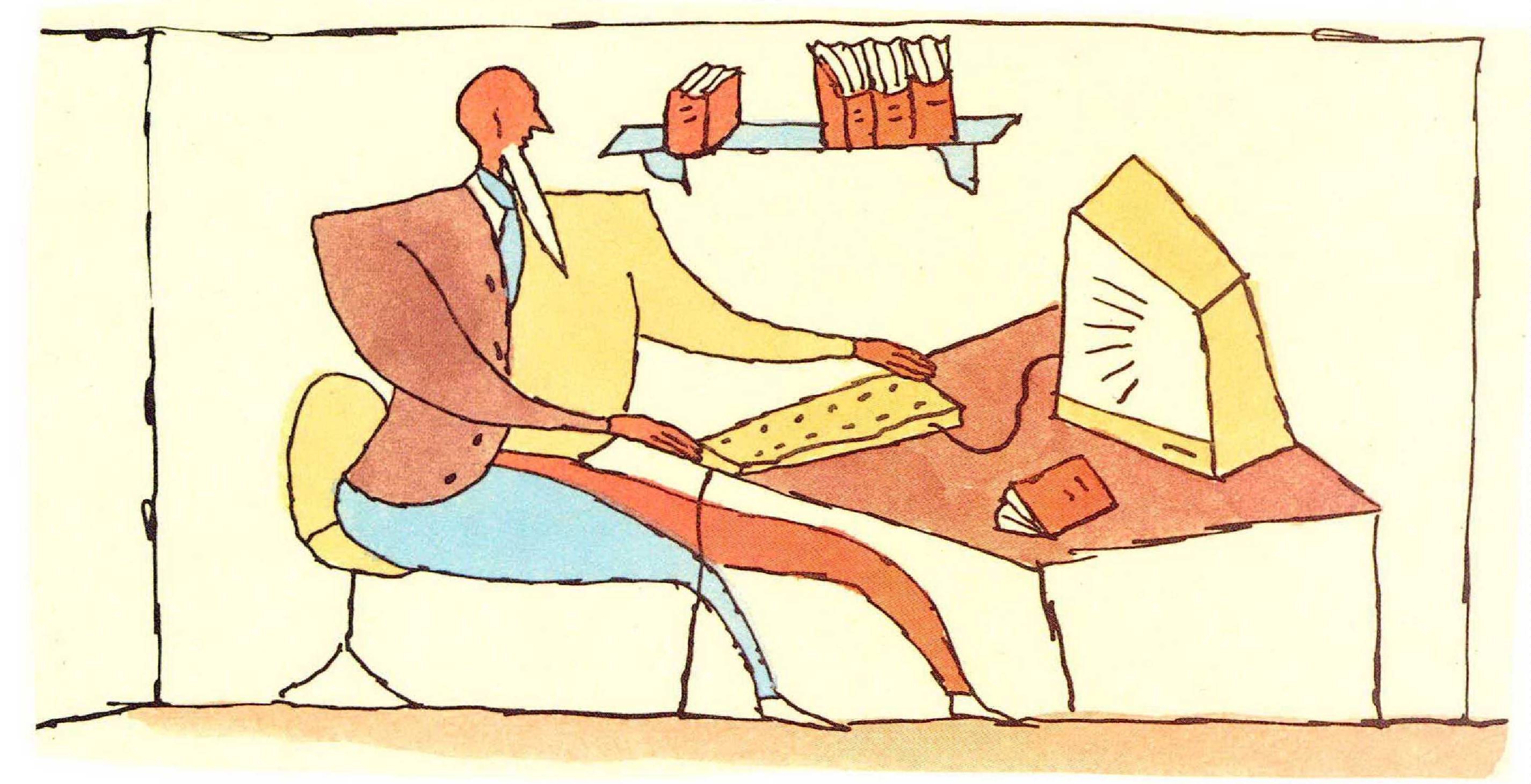
IN A COURTYARD outside the U.S. Embassy in Tokyo, I once saw a foreign-service officer sunning himself at lunchtime, eating a sandwich while leafing through a glossy brochure. The brochure was a technicalspecifications manual for a new car the man was planning to buy when he was sent back home—the downsized Lincoln Continental, as I recall. He would look intently at the numbers on one page, flip to the next to admire the side-view photo of the car, and then go back to the numbers, just in case any of them had changed.
The man’s determination to buy a Continental, rather than a Lexus or a BMW, may have been his own idiosyncratic reaction against years of frustration as a trade negotiator. But his loving study of the brochure reflected a more universal impulse. Half the joy of materialism lies in the anticipation. Once you stop dreaming about a new possession and actually possess it, the “is that all there is?” tristesse often sets in. Otherwise, children would enjoy Christmas afternoon as much as Christmas Eve. By the same reasoning, the more remote the moment of possession, the more wonderful the dreams can be. During a monsoon downpour in Rangoon, when the gutters ran so deep in sewage that I thought it best to stay indoors, I lay on my cot in the decrepit Strand Hotel, thumbing through an American computer magazine and thinking how great it would be when I could finally get a truly high-speed hard disk drive.
I don’t know whether the diplomat ever bought his car, but after returning from Asia I loaded up on the computer equipment I had been reading about and coveting from afar. In a way it was an advantage to see the results of several years’ worth of changes in the computer market all at once. The major computer magazines, which have become increasingly boosterish, had heralded each month’s new product or program as if it made everything that came before obsolete. When I left the United States, early in 1986, I was embarrassed not to be taking with me a computer based on the “exciting” Intel 80286 central processing chip. By the time I got back, the 80286 had become the bell-bottom pants of the computer business, and it was embarrassing to have ever taken it seriously.
The first thing that was obvious on re-entering the computer world was that some important parts of it still haven’t improved enough. Grammarchecking programs, for instance, are still largely worthless. CD-ROM ("compact disk-read only memory”) technology was being touted five years ago as the revolutionary innovation that would make vast quantities of data, from whole encyclopedias to census files, instantly available on your desk. It’s being touted the same way now but remains too slow, clumsy, and expensive to be of real use. Lap-top computers are constantly getting smaller and lighter, but so far every model has at least one obvious imperfection—the batteries don’t last long enough, the machine is too heavy, the screen is hard to read. Even the Compaq LTE, overall the best model so far, has an awkwardly laid out and shrunken keyboard. And, to disclose my major bias, the Macintosh is still not as fast and as flexible for writing as IBM PC-compatible computers, which is why I’m talking only about the IBM half of the computer market in this article.
In many other areas technology has obviously hit a plateau. Today’s major word-processing and data-base programs can perform many tricks their ancestors couldn’t. The newest release of WordPerfect, for instance, can print the Hebrew, Russian, and Japanese alphabets, among others, as well as the Roman alphabet in countless fonts. I love to impress my Japanese friends this way, and I like using the new tools WordPerfect makes available, although I know that it and most other best-selling programs are bulked-out, steroided, but still-recognizable versions of their previous selves.
IN SEVERAL FIELDS, though, computer technology really has progressed in ways that matter to the average user. One early step that made personal computers dramatically more convenient to use was the change from data storage on floppy disks (or the nightmarishly slow and unreliable tape cassettes that preceded them) to storage on hard disk drives. Several developments of the late 1980s are equally important.
The first of these advances, the 386 computer, may seem an odd choice for mention, since it is often described and promoted in ways that should make users wary. The original IBM personal computer and its many clones were based on the Intel 8088 central processing chip. They were followed, in the mid-1980s, by IBM AT-style computers, with the 80286 chip; then by “386 computers,” based on the 80386, which caught on about three years ago; and within the past year by computers containing the new 80486 chip. Most advertisements and reviews make it sound as if the main difference among these chips were their raw processing speed. The old 8088 ran at 4.77 megahertz (million cycles per second); the 80286’s speed was pushed to 8 and 12 megahertz and beyond; and today’s 386s are usually offered in 20-, 25-, and 33-megahertz versions.
Raw speed is the least important of the 386’s virtues. It’s always nice to have a computer that snaps through its functions a little faster, but for most people the practical difference between “slow" and “fast” machines is slight. In word-processing work, for instance, even slow computers spend most of their time scanning the keyboard to see if you’ve gotten around to hitting another key. Processing speed matters more in other areas, especially any work involving graphics (manipulating images is a much more complicated task for a computer than manipulating alphabetic characters). If what you want is speed for architecture-type graphics or heavy calculations, it would be sensible simply to buy a co-processing chip.
What the 386 offers is something much more important than speed. It represents another big step toward making a computer function more or less in tandem with the way a person does.
This part of the 386’s appeal is usually described with two unfortunate pieces of computer jargon: “memory management” and “multi-tasking.” “Memory management” refers to the 386’s ability to divide up computer memory into discrete chunks, and act as if each of them were a computer on its own. The idea behind “multitasking" is to let a computer do several jobs at once — send a message through a modem, draw a graph, calculate a spreadsheet, and check the spelling in a document. In practice there are only a few times when you really want to multi-task—for instance, if you have a very long document to print but would like to work on something else while the printer is churning away. But the real virtue of the 386 is what could be called “multi-availability”: being able to switch among half a dozen functions almost instantly, much as you would at an ordinary desk when you pick up the phone book or jot down a note while leafing through the paper.
Most pre-386 computers forced you to do exactly one thing at a time. If you were working on a chart but wanted to check a report you’d written the previous week, you had to save and unload one program, load another, and then go back the same way. Now, by pushing one or two keys on the 386, you can switch instantly from writing something to changing an appointment to marking down an expense to finding a phone number.
MAKING FULL USE of the 386 requires one practical and one philosophical choice. The practical choice concerns what kind of machine to buy. Completely new 386 computers range in cost from about $2,000 for the SX model (which is offered in 16and 20-megahertz versions) to about $10,000 for a fully loaded system that runs at 33 megahertz. Every component of the new machines, from disk drives to memory boards, has been designed with the 386’s capacities in mind, so naturally a wholly new computer offers the best performance. But you can also give an existing computer a brain transplant, by installing an accelerator board, like an Intel Inboard 386. This board, which fits into an expansion slot on IBM-compatible computers, replaces the existing 8088 or 80286 chip with a 80386, transforming the computer into a 386. An Inboarded machine won’t run quite as quickly as a new machine, but it can save money for those who do not want to replace their PCs. (An Inboard 386 with one megabyte of memory costs from $500 to about $800, depending on the computer.)
The philosophical choice concerns the software you use to make your familiar programs available all at once. Month after month computer experts debate whether OS/2, the IBM operating system of the future, will or will not supplant the DOS system, which has been around for almost a decade now, or whether the latest version of Microsoft’s Windows program will fully exploit the 386’s abilities and sweep both DOS and OS/2 away. This is very much like arguing whether the B-2 Stealth bomber or the Trident D-5 missile would be a better replacement for the lock on your front door. Both OS/2 and Windows are relatively expensive, slow, cumbersome systems that don’t really work yet. Meanwhile, a few cheap, streamlined, but effective programs can already do what Microsoft and IBM say they’ll do someday.
The best is DESQview-386, from a company called Quarterdeck, in Santa Monica. For about $200, including a superb memory-management utility called QEMM, DESQview-386 equips you to have six or more programs simultaneously available, and to run several of the programs at once. A cheaper version of DESQview-386 works on non386 machines, but won’t work as well.
DESQview has only two defects that I’ve noticed in six months of constant use. Its parent company is either deliberately surly or woefully understaffed: it was almost impossible to get a response to my questions, by phone or mail. And DESQview is incompatible with another superb breakthrough program called UltraVision. This program, which costs about $120 and is produced by the Personics Corporation, of Maynard, Massachusetts, does one thing that sounds impressive and something else that really counts. The impressive trick is to put about twice as many characters on the screen as is usual, by shrinking each character; this is amusing but quickly drives you toward blindness.
The truly valuable achievement is to give you complete control of the colors on the screen—and, more important, to make the characters on color monitors look as precise and clear as those on monochrome displays. Monochrome screens, with their green or amber letters on a black background, are fundamentally less pleasant than high-quality color monitors. But the letters on a color screen are inherently blurrier and harder to read. (Each dot on a monochrome screen is either lit or dark, which gives characters a very sharp edge, whereas each “dot" on a color screen is actually a combination of three dots—red, blue, and green—so the edges can never be as sharp.) UltraVision largely offsets this problem by replacing the on-screen characters with a selection of clearly defined, easy-to-look-at fonts. About half the time, I use DESQview and sacrifice UltraVision. The rest of the time, I switch to two multi-availability systems that are slightly less flexible than DESQview but work with UltraVision: the WordPerfect Office system, from the mighty WordPerfect Corporation, and Software Carousel, from SoftLogic Solutions, Inc.
Another program I admire and rely on is Magellan, from Lotus Development. Lotus is of course rich and famous because of 1-2-3, the spreadsheet program that every businessman either has or wants to buy. The excitement about 1-2-3 has always been a mystery to me. The very first spreadsheet program, VisiCalc, was a brilliant innovation, compared with which 1-23 represented an incremental improvement and buffing-up. As VisiCalc did, Magellan offers a radically new idea that seems obvious once someone has pointed it out. The program was written for Lotus by a team of programmers led by the brothers Bill and Larry Gross, who first conceived it.
Magellan addresses a problem that a previous computer improvement—the coming of huge-capacity hard disk drives—unexpectedly caused. The disks fill up with information very quickly, and with their subdirectories and their cryptic file names it becomes very hard to know what is where. The more programs you use, the more formats your information is stored in, and the greater the odds are against finding it when you need it.
The previous approaches to keeping track of data have all had severe limitations. For instance, I used to keep indexes of textual material—interview notes, correspondence, phone lists— with a powerful filing program, like ZYINDEX. But before I could use the programs to find data, I had to put all the material into the proper format and then index it, which I never got around to doing. The genius of Magellan is that it avoids all drudge-work steps. It contains a series of “viewers,” which let you look at the content of any file, whether it was created with WordStar, 1-2-3, XyWrite, Paradox, or any of a dozen other programs. Magellan also contains an unbelievably fast and powerful indexing system, which requires virtually no upkeep, planning, or alteration from the way you’d ordinarily do your work. To give a real-life example, 1 remembered this morning that I had once interviewed someone in Osaka, and I wanted to find his phone number now. I typed in his name, and in less than five seconds Magellan had pulled up the notes I took when meeting him three years ago.
Don’t bother reading the spec sheets anymore. Get Magellan—and a 386 system, and one of the multi-availability programs. □